|
How to order
Orders could be placed on-line in only four steps. These steps are:
Step#1) Add items to your shopping basket
Step#2) Check-out your order
Step#3) Personal data insertion
Step#4) Send order
Step#1) Add items to
your shopping basket
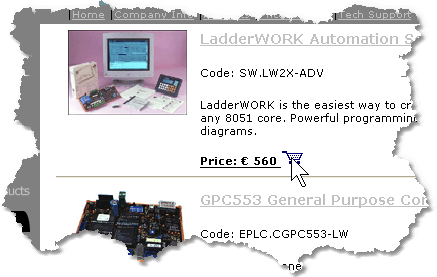
When you navigate in the products section you can easily locate the
basket symbol  present for each
entry in the catalog. Simply click on this icon and the item will be added
into your shopping cart automatically. Could be that some product indicates
the text <Email to sales@microshadows.com>. This means that the
price for the products must required to our sales dept. This could happen
with particular products. present for each
entry in the catalog. Simply click on this icon and the item will be added
into your shopping cart automatically. Could be that some product indicates
the text <Email to sales@microshadows.com>. This means that the
price for the products must required to our sales dept. This could happen
with particular products.
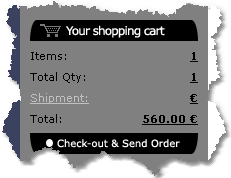
The shopping cart could be checked looking at shopping cart summary present at the left of the web page.
This summary indicates the number of items you have in the basket, the total quantity (sum of all the quantity of
all the items) and the current total price.
Step#2) Check-out your order
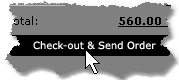
Once you have selected all the items for the order you can continue
to the Check-out phase. This is done with a click on the text <Check-out
& send order> at the bottom of the shopping cart summary
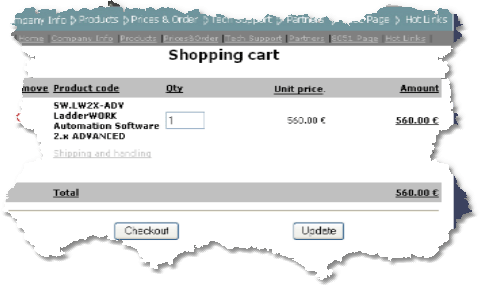
At
this point you can check your order and eventually change the quantity
for your items. This can be done modifying the quantity edit cell and
pressing the update button. Any item can be removed from your shopping
cart clicking on the delete icon 
Press the <Checkout> button when finished
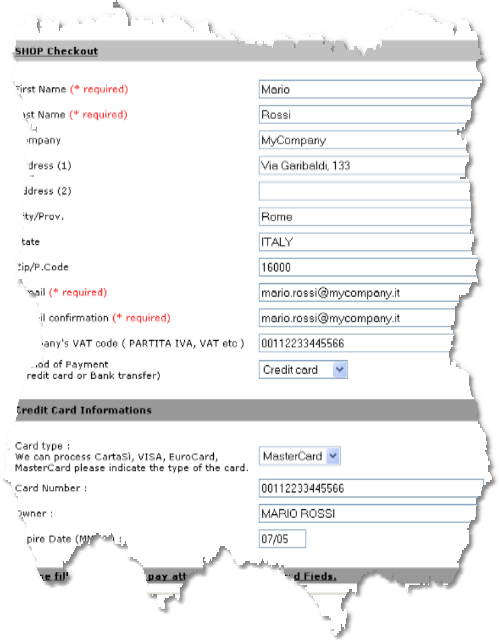
Step#3) Personal data insertion
This phase allow to insert your personal data for the order processing.
Fill all the fields in the form with a particular attention to the cells
marked with a (* required). These are fundamentals data and no order could
be processed without these informations. With this form you also can select
the payment method. For payments using bank transfer our sales dept. will
contact you for transaction informations and details. Press the <Send
Order> button at the end.
Step#4) Send order
After pressing the <Send Order> button at the bottom of the personal
data form the server generates an e-mail with your order that will be
delivered to our sales dept (sales@microshadow.com). This process is accomplished
by a summary page indicating all the information you entered.
In case of server problems, surely related to the impossibility to
send e-mails, a warning page is displayed. In this case we suggest to
send a simply e-mail with the same data you entered with the on-line ordering
|